
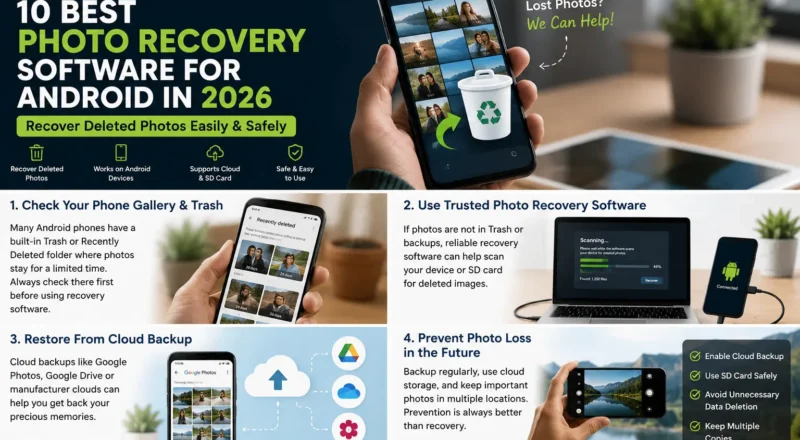
Accidentally deleted important photos from your Android phone? Losing family pictures, travel memories, work images, or camera photos can be frustrating. The good news is that deleted images may sometimes be recoverable, depending on how they were stored and what happened after deletion.
The best photo recovery software for Android can help search for deleted images, restore photos from backups, or recover files from accessible storage and SD cards.
However, no recovery app can guarantee that every deleted photo will return. Recovery success depends on factors such as the phone model, Android version, storage type, backups, and whether the deleted data has already been overwritten.
In this guide, we compare the best Android photo recovery options in 2026 and explain which type of tool may work best for different situations.
Quick Comparison: Best Android Photo Recovery Tools
| Tool | Best for | Free option | PC required |
|---|---|---|---|
| DiskDigger | Quick Android photo scanning | Yes | No |
| Dr.Fone Data Recovery | Guided Android recovery | Limited | Yes |
| Tenorshare UltData | Multiple recovery scenarios | Limited | Usually |
| EaseUS MobiSaver | Simple recovery workflow | Limited | Yes |
| iMobie PhoneRescue | Android data recovery | Limited | Yes |
| Dumpster | Future deletion protection | Yes | No |
| Google Photos | Restoring backed-up photos | Yes | No |
| Samsung Gallery | Samsung Trash recovery | Yes | No |
| Files by Google | Checking deleted files | Yes | No |
| PhotoRec | SD card recovery | Yes | Yes |
1. DiskDigger Photo Recovery
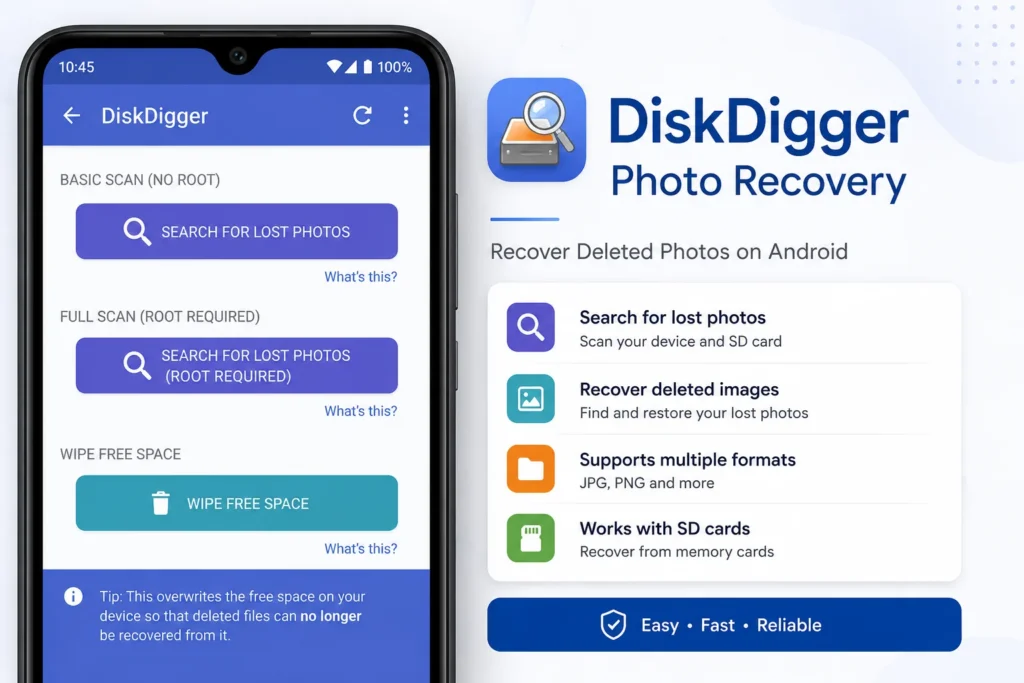
DiskDigger is one of the most widely known Android photo recovery apps. It can scan a device for recoverable images and is especially useful for users who want to try recovery directly from their phone.
The basic scan may find cached images, thumbnails, and some deleted photos. Deeper recovery can depend on device access and storage conditions.
Best for
Users who want to perform a quick photo scan directly on an Android phone.
Main advantages
- Simple interface
- Basic photo recovery option
- Can scan directly on Android
- Useful as an early recovery attempt
Things to know
A scan may show low-resolution thumbnails or cached copies rather than the original full-quality image. Results can vary significantly between devices.
2. Dr.Fone Data Recovery for Android
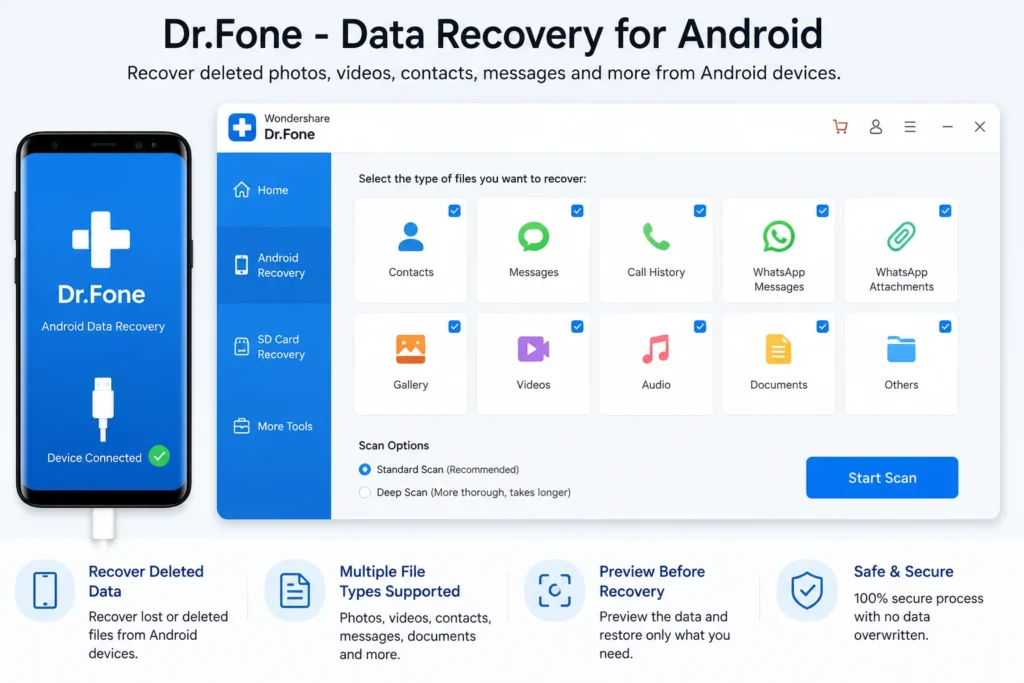
Dr.Fone is a desktop-based recovery solution designed to help users search for different types of lost Android data.
It provides a guided interface and may be easier for users who prefer connecting their phone to a computer instead of using a mobile-only recovery app.
Best for
Users looking for a guided desktop recovery process.
Main advantages
- User-friendly interface
- Supports multiple data types
- Designed for Android recovery scenarios
- Suitable for less technical users
Things to know
Device compatibility and available recovery methods can differ by Android version and phone manufacturer. Check the supported-device information before paying for a plan.
3. Tenorshare UltData for Android
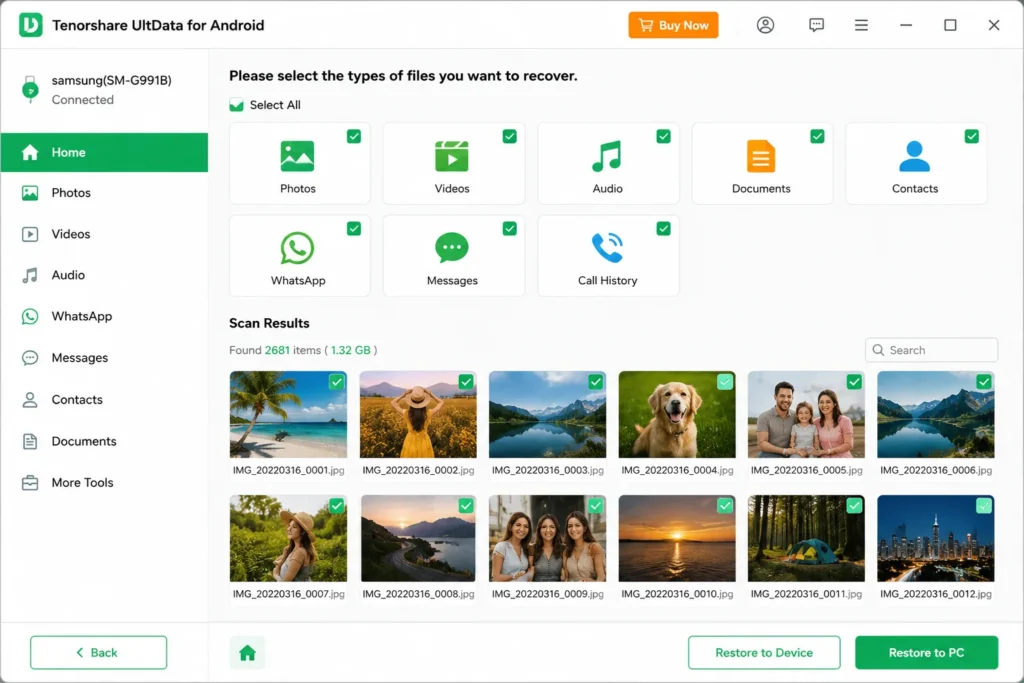
Tenorshare UltData is another popular option for users trying to recover deleted Android data.
Depending on the device and recovery situation, it may help search for photos and other lost files. The software is generally used through a computer.
Best for
Users who want to scan for more than just deleted photos.
Main advantages
- Supports multiple file categories
- Guided scanning process
- Designed for common Android data-loss situations
- Preview features may be available before recovery
Things to know
Do not assume that a paid license guarantees recovery. Run any available scan or preview first and check whether the required files are actually detectable.
4. EaseUS MobiSaver for Android
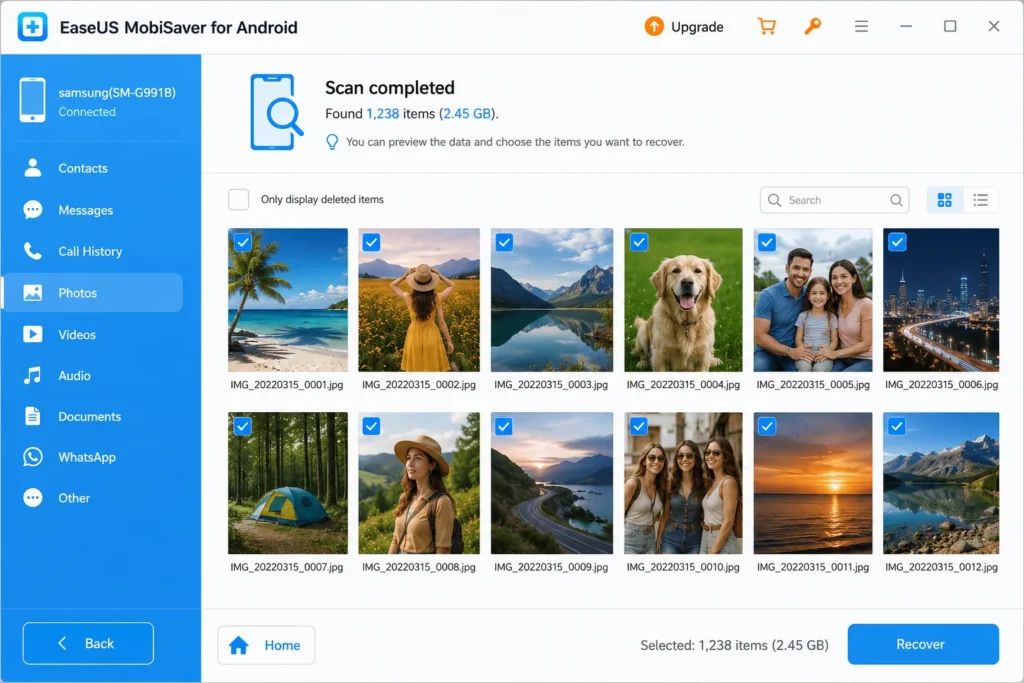
EaseUS MobiSaver provides an Android-focused recovery workflow for users who have accidentally deleted photos or other files.
The interface is designed to make scanning and file selection relatively simple.
Best for
Beginners looking for a straightforward desktop recovery tool.
Main advantages
- Simple recovery workflow
- Supports several file types
- Preview-and-select approach
- Recognizable desktop interface
Things to know
Recovery availability can depend heavily on the device, permissions, and whether the deleted data remains accessible.
5. PhoneRescue for Android
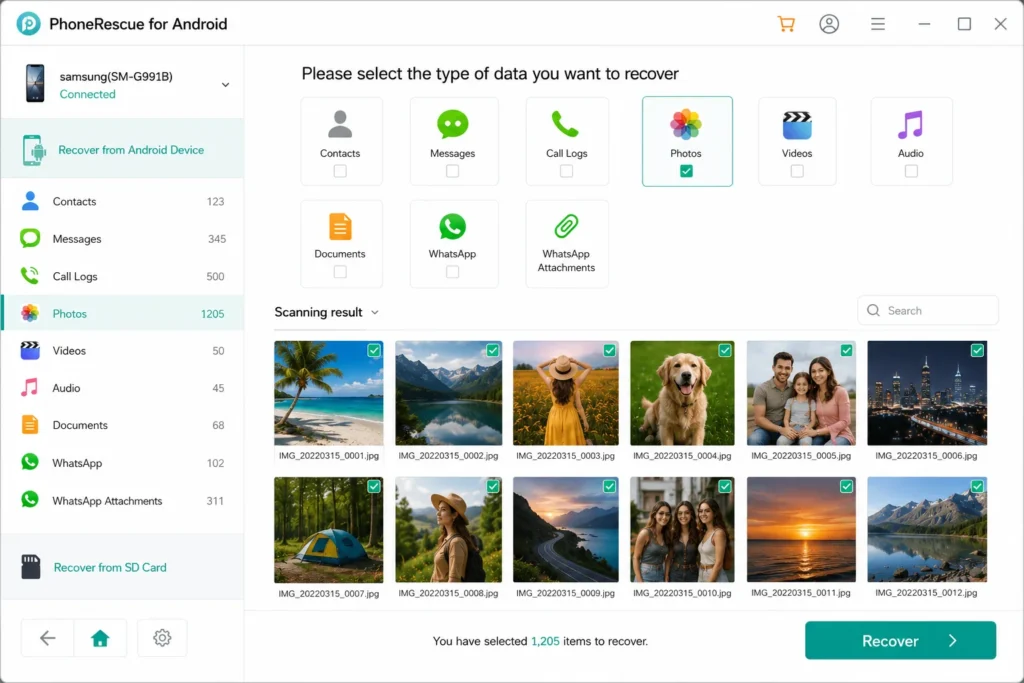
PhoneRescue is designed for recovering different types of lost mobile data.
For photo recovery, it may be worth checking when built-in trash folders and cloud backups do not contain the missing images.
Best for
Users who want to check multiple types of lost Android data.
Main advantages
- Supports different recovery scenarios
- Desktop-based workflow
- Designed for multiple Android data types
Things to know
Compatibility should be checked before purchase, especially for newer Android versions and devices with stronger storage encryption.
6. Dumpster
Dumpster works differently from traditional recovery software. It acts more like a recycle bin for Android.
If it was already installed and configured before a file was deleted, it may make restoration much easier.
Best for
Preventing future photo loss.
Main advantages
- Recycle-bin-style functionality
- Easy restoration process
- Useful for future accidental deletions
- Works directly on Android
Things to know
Dumpster generally cannot magically recover old files that were deleted before the app was installed and set up.
7. Google Photos
Before installing any recovery software, check Google Photos.
If backup was enabled, the missing photo may still exist in your cloud library. Recently deleted items may also remain in the Trash for a limited period.
How to check
Open Google Photos, search by date or location, and then check the Trash section. Also confirm that you are signed in to the correct Google account.
Best for
Photos that were previously backed up or recently moved to Trash.
This should usually be your first recovery attempt because it is fast and does not require a deep storage scan.
8. Samsung Gallery Trash
Samsung users should check the Gallery app’s Trash before using third-party recovery tools.
A deleted image may remain temporarily available for restoration.
How to check
Open the Gallery app, go to the menu, select Trash, choose the required images, and tap Restore.
Best for
Recently deleted photos on compatible Samsung Galaxy phones.
9. Files by Google
Files by Google may help users locate recently deleted files or identify images that were moved rather than permanently erased.
It is also worth checking other folders before assuming that a photo has been deleted.
Best for
Finding misplaced files and checking recently deleted items.
Tip
Search the device by image type and inspect folders such as DCIM, Pictures, Downloads, Screenshots, WhatsApp Images, and app-specific media folders.
10. PhotoRec
PhotoRec is a powerful open-source recovery tool that is especially useful for removable storage such as SD cards.
If your photos were saved to a microSD card, removing the card and scanning it on a computer may provide a better recovery path than repeatedly using the phone.
Best for
Recovering photos from SD cards.
Main advantages
- Free and open source
- Supports many file formats
- Useful for removable storage
- Available for desktop systems
Things to know
The interface is more technical than most commercial recovery tools. Recovered files may also lose their original filenames and folder structure.
Which Is the Best Photo Recovery Software for Android?
The best option depends on where your deleted photos were stored.
For recently deleted photos, check Google Photos, your phone’s Gallery Trash, and file-manager trash folders first.
For a quick phone-based scan, DiskDigger may be worth trying.
For a guided computer-based scan, tools such as Dr.Fone, UltData, EaseUS MobiSaver, and PhoneRescue can be compared based on device compatibility and preview results.
For photos stored on a microSD card, PhotoRec is one of the most useful options to consider.
What to Do Immediately After Deleting Important Photos
Your actions after deletion can affect recovery chances.
- Stop taking new photos and videos.
- Avoid downloading large apps or files.
- Check all Trash and Recently Deleted folders.
- Check cloud backups using the correct account.
- If the photos were on an SD card, stop using the card.
- Try recovery methods before writing large amounts of new data to the same storage.
The reason is simple: deleted data can become harder to recover after the storage space is reused.
Can Permanently Deleted Photos Be Recovered on Android?
Sometimes, but not always.
Modern Android phones use encryption and storage-management systems that can make direct recovery from internal storage difficult. If a photo has been permanently deleted and its storage area has been overwritten, recovery may be impossible.
Your best chance usually comes from one of these sources:
- Google Photos backup
- Manufacturer cloud backup
- Gallery Trash
- Messaging app media folders
- Computer backups
- SD card recovery
- Previously synchronized cloud storage
This is why backup recovery should be checked before paying for third-party software.
Free vs Paid Android Photo Recovery Software
Free tools can be enough when the missing photos are still in a Trash folder, backed up online, or recoverable from an SD card.
Paid tools may provide a more guided scanning experience and support additional data types. However, paying for software does not guarantee successful recovery.
Before buying a recovery tool, check:
- Whether your exact phone model is supported
- Whether your Android version is supported
- Whether the software can preview the missing photos
- Whether the free scan detects useful files
- The refund conditions
- Whether the tool requires special device access
How to Prevent Photo Loss in the Future
The easiest recovery strategy is having a backup before something goes wrong.
Enable automatic photo backup to a trusted cloud service, keep important images in more than one location, and regularly copy valuable photos to a computer or external drive.
For important photos, use the 3-2-1 backup principle: keep three copies of your data, store them on two different types of media, and keep one copy in another location.
Frequently Asked Questions
What is the best photo recovery software for Android?
There is no single best tool for every phone. Start with Google Photos and the phone’s built-in Trash. DiskDigger may help with phone-based scanning, while desktop recovery tools can be tested for supported devices. PhotoRec is particularly useful for SD cards.
Can I recover permanently deleted photos for free?
Possibly. Check cloud backups, Gallery Trash, file-manager trash folders, messaging app folders, and computer backups first. Free SD card recovery tools may also help when photos were stored on removable media.
Can I recover photos deleted one year ago?
Recovery becomes less likely over time, especially if the phone has been heavily used. However, old photos may still exist in cloud backups, old phones, computers, SD cards, messaging apps, or shared albums.
Does factory reset delete photos permanently?
A factory reset can make recovery from modern encrypted Android internal storage extremely difficult. Cloud backups and external copies are usually the most realistic recovery options after a reset.
Is Android photo recovery software safe?
Use software only from the official developer or a trusted app store. Avoid modified APKs, cracked recovery tools, and apps requesting unrelated permissions.
Final Verdict
For most users, the best recovery order is simple: check backups first, check Trash folders second, then try recovery software only if the missing photos are still unavailable.
Start with Google Photos and your phone’s built-in Gallery Trash. If the images were stored on an SD card, stop using the card and scan it from a computer. For internal Android storage, compare recovery tools based on actual device support and scan results rather than promises of guaranteed recovery.
The most important rule is to act quickly and avoid adding large amounts of new data to the storage where the missing photos were located.